
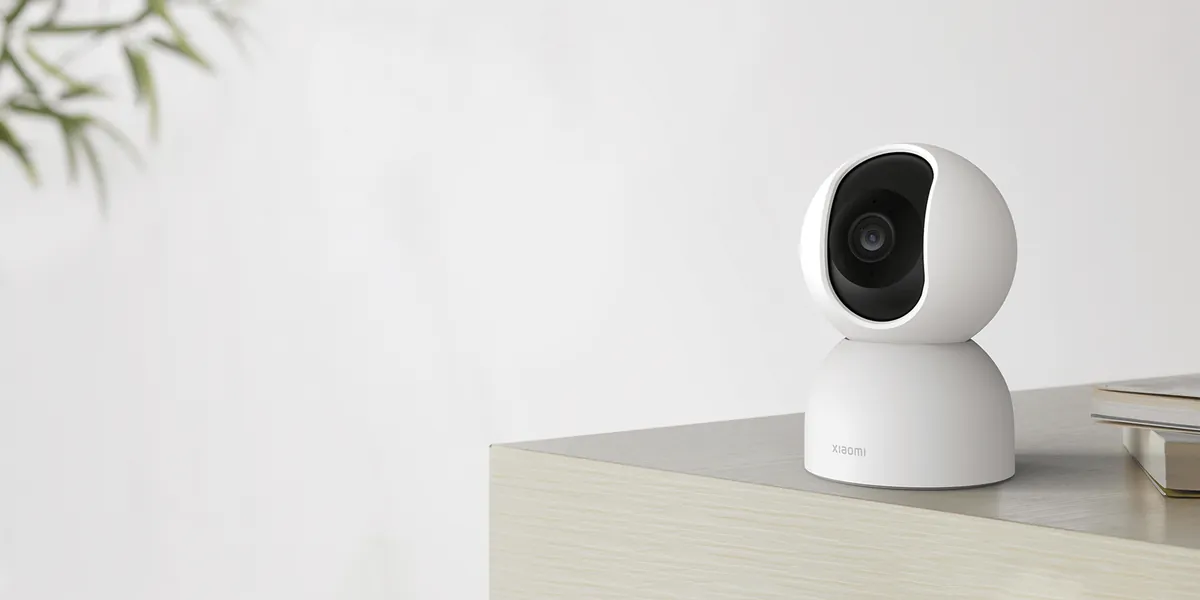
- In the Xiaomi Home app, yes, with limits. In any other baby monitor app, no: current Xiaomi cameras have no RTSP or ONVIF.
- Crying alerts: Xiaomi lists baby crying detection for the C300, C302, C400, C500 Pro and C700, not for the C200.
- Alerts travel through Xiaomi's cloud, so with the internet line down your phone hears nothing, even on the same Wi-Fi.
- The one bridge is go2rtc on a Home Assistant or Frigate server. Custom firmware exists only for a few old, discontinued models.
- For a monitor that wakes you only for crying, use a Tapo camera or an old phone, and keep the Xiaomi for the hallway.
Is there a Xiaomi baby monitor?
Not quite. Xiaomi sells home security cameras, and many of them listen for a crying baby. In China it also sells a camera made for babies. All of them work the same way: you add the camera to the Xiaomi Home app (once called Mi Home) with a Xiaomi account, and the picture goes only to that app.
That is fine for a quick look at the crib. It is the reason no other app can help. Xiaomi's own support answer for the C300 says the camera does not support ONVIF or RTSP, the two standard ways an app reads a camera at home. Nothing on Xiaomi's pages says otherwise for the newer models.
So the honest answer per model looks like this. "Not listed" means Xiaomi's specs and support pages don't mention it; check your own model in the app if you are unsure.
| Model | Crying alert in Xiaomi Home | RTSP or ONVIF | Another app, like a baby monitor app |
|---|---|---|---|
| Smart Camera C200 (1080p) | not listed, motion only | no | only through go2rtc |
| Smart Camera C300, C301 (2K) | C300 yes; C301 sound only, crying not checked | no, Xiaomi says so for the C300 | only through go2rtc |
| Smart Camera C302 (2K) | yes, plus unusual sounds | not listed | go2rtc, check your model |
| Smart Camera C400 (2.5K) | yes | no | only through go2rtc |
| Smart Camera C500 Pro (3K) | yes, plus sound detection | no | only through go2rtc |
| Smart Camera C700, C701 | yes | not listed | go2rtc, check your model |
| Mi 360° 2K Pro | not listed, motion only | no | only through go2rtc |
| Mi 360° 1080p and Mijia 1080p (older, discontinued) | sound alerts on some | not on stock firmware | community firmware on some versions; for tinkerers |
| Xiaofang 1S, Dafang (discontinued) | no | not on stock firmware | RTSP after flashing community firmware |
| Baby camera sold in China (Maternal and Infant Care Edition) | made for babies | not listed | assume no; same app |
Which Xiaomi cameras have RTSP or ONVIF?
Current Xiaomi cameras have no RTSP or ONVIF; video is encrypted to the Xiaomi Home app.
go2rtc's xiaomi source can bridge it if you run Home Assistant, but it fetches keys from Xiaomi's cloud at every connection.
None of the current Smart Camera line, going by Xiaomi's own pages. Video between the camera and the app uses Xiaomi's own encrypted protocol, and the keys come from Xiaomi's cloud. It is not hidden in a menu and not sold as an extra. Where Xiaomi stores that data is in our brand-by-brand table of camera clouds. Even Xiaomi's official Home Assistant add-on reads sensors and switches, but no live video.
Older, discontinued models are a different story. Hobby projects such as Thingino and the Dafang hacks replace the firmware on a few exact hardware versions and add RTSP. It can brick the camera and ends Xiaomi's support. For a baby monitor you rely on at night, that is the wrong place to start.
Want to check your own camera? Look in the camera's settings in Xiaomi Home for an ONVIF or RTSP switch. A few outdoor models are reported to have one; that report is not confirmed. If there is none, the camera is closed. The free camera checker gives the same verdict for the models above in one tap.
Can a Xiaomi camera be a baby monitor on its own?
Yes, inside Xiaomi Home, and for daytime naps that may be enough. Aim the camera at the crib and you see a live picture on your phone. The indoor models have infrared night vision, a sharp black-and-white picture in a dark room. They have a speaker for talk-back, and most of them pan and tilt from the app.
The limits show up at night:
- Alerts need the internet. Crying and motion alerts go through Xiaomi's cloud. If the line drops, the camera keeps glowing and your phone stays quiet.
- One kind of alert. A short whimper and a long cry send the same notification. There is no calm night screen for the parent's phone.
- Your phone must let the app run. Battery savers can delay alerts, the same problem as with any camera app.
Xiaomi's help page for the C500 Pro shows where the crying switch lives: in the camera's AI features.
How to bridge a Xiaomi camera with go2rtc
go2rtc is a small streaming server inside Home Assistant and Frigate. Its Xiaomi source talks to the camera on your network, like the Xiaomi Home app does. The catch, said plainly: its own page says it needs the internet at every new connection, to fetch the keys.
- Sign go2rtc in to your Xiaomi account. In go2rtc's web page, add the Xiaomi account that owns the camera, and expect an email or phone code. go2rtc then lists your cameras, as its guide shows.
- Add the camera's stream. go2rtc fills in the camera's address. Give the camera a fixed address in your router so it does not move.
- Convert the picture and the sound. Newer Xiaomis send H.265 video and sound a baby monitor app may not play. Wrap the stream with go2rtc's ffmpeg source to get H.264 and G.711.
- Add the go2rtc stream in your app. In Mamoon, choose a Wi-Fi camera and enter the go2rtc address. From then on it is an ordinary camera.
That takes an evening if Home Assistant already runs at home. If you are hearing of it for the first time, building a server for one camera is a poor trade. The Home Assistant guide covers go2rtc in more detail.
What to use instead of a Xiaomi camera
- A TP-Link Tapo C200 or C210. Infrared, pan and tilt, a microphone, and RTSP after one Camera Account setting. See Tapo C200 as a baby monitor.
- An old phone by the crib. Free, tonight, and it keeps working when the internet is down. Leave a dim night light on. See the old phone guide.
- Another camera you already own. The list of Wi-Fi cameras that work goes brand by brand, and the other baby monitor guides cover setup and placement.
And the Xiaomi? Keep it for the front door, the dog or the hallway. It does everything it did before.
Where Mamoon fits
Mamoon cannot read a Xiaomi camera directly, and neither can any other baby monitor app. With an old phone by the crib or a Tapo camera, it listens for crying on your phone and tells crying from fussing. Picture and sound stay on your home Wi-Fi, with no cloud, so a dead internet line does not stop it. The screen turns grey if the camera goes quiet. Sound and cry alerts are free; the picture is $29.99 once or $3.99 a month after 14 days free.
Frequently asked questions
Can I use a Xiaomi camera as a baby monitor?
Yes, in the Xiaomi Home app: live view, night vision, talk-back and, on several models, crying alerts. The alerts go through Xiaomi's cloud. With another baby monitor app, only through a go2rtc server at home.
Does the Xiaomi C200 detect a baby crying?
Xiaomi does not list crying detection for the C200; it reports motion. The C300, C302, C400 and C500 Pro list baby crying detection, so pick one of those if the camera's own alert matters to you.
Can I add RTSP to a Xiaomi camera with a firmware update?
Not on the current Smart Camera models: there is no official firmware with RTSP or ONVIF. Community firmware adds RTSP only to a few old, discontinued models, and it ends Xiaomi's support.
Does Xiaomi Home work without internet?
Not for alerts. Crying and motion alerts go through Xiaomi's cloud, so a dropped internet line means no alert, even when your phone and the camera share the same Wi-Fi.
Is the Xiaomi baby camera sold outside China?
Mostly not. The camera made for babies is sold mainly in China. Elsewhere, Xiaomi's Smart Camera line with crying detection is what you will find, and it uses the same closed app.
Sources
- Xiaomi support: the Smart Camera C300 does not support ONVIF or RTSP (October 28, 2026)
- Xiaomi: Smart Camera C302, crying baby and abnormal sound detection (October 28, 2026)
- Xiaomi support: the baby crying function of the Smart Camera C700 (October 28, 2026)
- Xiaomi support: the baby crying function of the Smart Camera C500 Pro (October 28, 2026)
- MIoT spec: Smart Camera C300, baby cry detection, C400, C200 (no cry detection) (September 29, 2026)
- Xiaomi Home integration for Home Assistant: switches, sensors and events; no video (September 29, 2026)
- Thingino: community firmware, camera list (Mijia 1080p SXJ02ZM, MJSXJ03HL, AW200) (October 28, 2026)
- go2rtc: ffmpeg source, H.264 video and G.711 sound (September 29, 2026)
- go2rtc: Xiaomi source, Mi Home account, internet needed for encryption keys
Spotted a mistake or an outdated figure? Write to hello@mamoon.app.
