
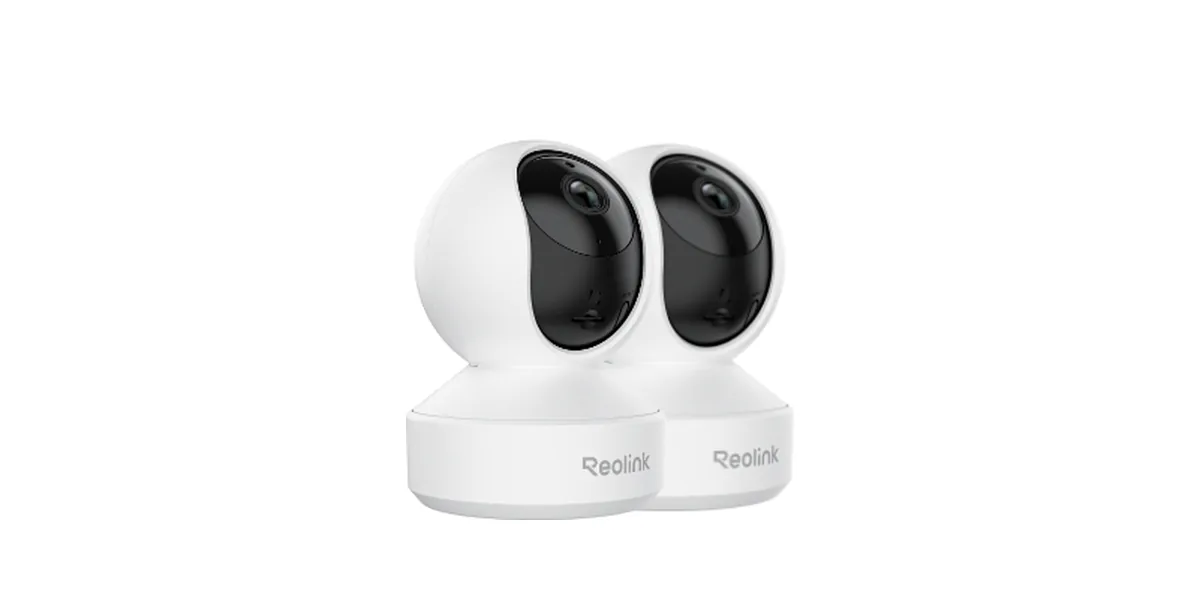
- Yes in the Reolink app, where E1 models detect crying. Another monitor app gets the picture only, until go2rtc converts the sound.
- Cry detection: Reolink lists it for 7 cameras, the E1, E1 Pro and E1 Zoom among them. It is a push alert, switched on in the app's notification settings.
- Other apps: every wired Reolink streams H.264 video over RTSP, but its sound is AAC, which Reolink says can't be changed.
- Battery Reolinks (Argus, Go) sleep between events and have no stream to watch all night.
Can a Reolink camera be a baby monitor?
Yes, with a clear split. In the Reolink app an E1 camera is a decent nursery camera: live view, infrared night vision, pan and tilt on the E1 models, two-way talk, and now a push alert when it hears a baby cry. Reolink doesn't sell a parent unit, so your phone is the screen.
Reolink also markets the E1 range for babies and pets, and its own blog covers nursery setups. The cameras are small, quiet and cheap, and the 4 and 5 MP models show far more detail than a radio monitor's screen.
What the Reolink app is not built for is a whole night of listening. It sends an alert for an event, then goes quiet. A baby monitor app plays the room to you with your phone locked and tells you when the camera stops working. That needs the camera's stream, and here Reolink has one catch: its sound.
| Model | Picture in Mamoon | Hears crying in Mamoon | Night vision (infrared) | Pan & tilt from Mamoon | Effort |
|---|---|---|---|---|---|
| Reolink E1 Pro | yes | after the fix | yes | yes | ≈1 hour, needs Home Assistant or Frigate |
| Reolink E1 | yes | after the fix | yes | yes | ≈1 hour, needs Home Assistant or Frigate |
| Reolink E1 Zoom | yes | after the fix | yes | yes | ≈1 hour, needs Home Assistant or Frigate |
| Reolink E1 Outdoor | yes | after the fix | yes | yes | ≈1 hour, needs Home Assistant or Frigate |
| Reolink RLC-410 | yes | after the fix | yes | fixed camera | ≈1 hour, needs Home Assistant or Frigate |
| Reolink RLC-510A | yes | after the fix | yes | fixed camera | ≈1 hour, needs Home Assistant or Frigate |
| Reolink RLC-520A | yes | after the fix | yes | fixed camera | ≈1 hour, needs Home Assistant or Frigate |
| Reolink RLC-810A | yes | after the fix | yes | fixed camera | ≈1 hour, needs Home Assistant or Frigate |
| Reolink RLC-820A | yes | after the fix | yes | fixed camera | ≈1 hour, needs Home Assistant or Frigate |
| Reolink Lumus | yes | after the fix | yes | fixed camera | ≈1 hour, needs Home Assistant or Frigate |
| Reolink Argus (battery) | no | no | yes | — | no fix on this camera |
| Reolink Go (battery, 4G) | no | no | yes | — | no fix on this camera |
"Picture" means a monitor app shows the video but cannot hear the room. "After the fix" means with go2rtc converting the sound, as in the steps below.
Turn on cry detection in the Reolink app
Reolink's support page lists cry sound detection as its only audio detection, on these cameras (checked October 29, 2026):
| Camera | Cry detection |
|---|---|
| E1, E Series E321, E331 | works out of the box |
| E1 Pro, E1 Zoom, E Series E330, E340 | works after a firmware update |
| RLC, Lumus, Argus, Go and others | not listed |
- Update the firmware. In the Reolink app open the camera, then its settings, and check for a firmware update. The E1 Pro and E1 Zoom need it.
- Open the push notification settings. In the camera's settings, open Push Notifications and its schedule.
- Tick Cry Sound Detection and save. In the same place you can add recording or email as extra actions.
- Test it. Play a recording of a crying baby near the camera. A push notification should arrive within a few seconds.
- If nothing arrives: check that the Reolink app may send notifications, that the schedule covers the hour, and that the camera is online. A push travels over the internet, so it needs a working connection.
That covers alerts. It doesn't give you the room's sound all night, an alert when the camera drops off Wi-Fi, or a choice between crying and fussing.
Use a Reolink with a baby monitor app
Every wired Reolink offers RTSP, the stream an app on your Wi-Fi reads. The picture is standard H.264. The sound is AAC, and Reolink states it can't be changed. A monitor app that listens for crying needs G.711, so a small program on an always-on computer converts it: go2rtc, built into Home Assistant and Frigate. We ran exactly this setup at home, a go2rtc restream in front of the camera, and the one rule that saved us trouble was to let only go2rtc read the camera and point every app at go2rtc instead. The Home Assistant baby monitor guide shows the whole setup.
- Turn on RTSP: Reolink app › camera › ⚙ › Network › Advanced › Port Settings → RTSP on (and ONVIF, for pan and tilt).
- Convert the sound with go2rtc. Every Reolink sends AAC sound and it can't be changed, so a home server has to convert it. In go2rtc (part of Home Assistant and Frigate) add this stream:
nursery: ffmpeg:rtsp://USER:PASS@CAMERA-IP:554/h264Preview_01_sub#video=copy#audio=pcma - In Mamoon choose “go2rtc server” and enter
rtsp://SERVER-IP:8554/nursery.
What success looks like: the room shows Calm, and a sound by the crib makes it change within a second or two. If the picture comes but the room says Offline, the app is reading the camera directly, not the go2rtc stream: check the address ends in :8554/nursery. If nothing loads, RTSP is still off on the camera; on some older models it is off by default, as Reolink's VLC guide notes.
Without go2rtc, Mamoon shows the picture and, after about 20 seconds without usable sound, says Offline instead of pretending to listen.
Battery cameras sleep between events to save power and don't offer a stream another app can watch all night.
Without a home server
Let an old phone by the crib do the listening in Mamoon. Open the Reolink app when you want its infrared picture of the dark room. Mamoon shows one picture at a time, so here it watches the phone.
Good to know
- RLC-810A, RLC-820A: If the main stream is H.265, use the H.264 sub-stream; it's plenty for a dark room.
Night vision, placement, pan and tilt
Every Reolink in the table has infrared, so a dark nursery shows in sharp black and white. The E1, E1 Pro and E1 Zoom turn and tilt from Mamoon once ONVIF is switched on next to RTSP. The RLC bullets are outdoor cameras: fixed, and bigger than a nursery needs.
Put the camera above the mattress, not facing a window, since glass throws the infrared back into the lens. Keep the cord well out of reach; the CPSC says at least 3 feet from the crib. More in where to put the camera, and other brands in the Wi-Fi camera table.
Where Mamoon fits
Mamoon reads a Reolink's picture straight over your home Wi-Fi and finds the camera by itself. Pan and tilt models turn from the app. It cannot play the Reolink's AAC sound, so on its own it shows the picture and says it is not monitoring, rather than pretending to listen. With go2rtc converting the sound, it recognizes crying on your phone, tells it from other sounds, keeps alerting with the nursery muted, and turns grey with an alert if the camera stops sending. Sound and cry alerts are free; the picture is $29.99 once or $3.99 a month after 14 days free.
Frequently asked questions
Does Reolink have baby cry detection?
Yes, on seven cameras, including the E1, E1 Pro and E1 Zoom. Some need a firmware update. Turn it on under Push Notifications in the Reolink app, and it sends a push alert when it hears crying.
Can I use a Reolink E1 Pro as a baby monitor?
In the Reolink app, yes, with cry alerts after a firmware update. In another baby monitor app you get the picture, not the sound, unless go2rtc converts the AAC sound to G.711.
Why can't a baby monitor app hear my Reolink?
Reolink states that all its cameras send AAC sound over RTSP and the format can't be changed. Cry detection in a monitor app needs G.711, so the sound has to be converted first.
Does the Reolink Argus work as a baby monitor?
Not with another app. The Argus and Go are battery cameras that sleep between events, so there's no stream to watch all night.
What do I need for go2rtc?
A computer that stays on at home: Home Assistant, where go2rtc is built in, Frigate, or go2rtc on its own. One line in its settings converts the sound.
Sources
- Reolink: Do Reolink cameras support audio detection? (cry sound detection, models) (October 29, 2026)
- Reolink: AAC audio on all cameras, cannot be changed; H.265 main stream on 8 MP models
- Reolink: RTSP/ONVIF must be enabled on the camera; VLC live view
- go2rtc: ffmpeg source, #video= and #audio= transcoding options (pcma, pcmu)
- CPSC OnSafety: baby monitor cords out of reach
Spotted a mistake or an outdated figure? Write to hello@mamoon.app.
