
- Yes, after one setting: turn on RTSP in Imou Life, then switch the sound to G.711A once in Dahua's free ConfigTool.
- Why the setting: Imou sends AAC sound by default. A monitor app needs G.711 to listen for crying, and the Imou app has no switch for it.
- The Ranger and Rex models pan and tilt; the Cue and Bullet are fixed. All have infrared night vision.
- The RTSP password is the safety code on the camera's label, with the user name admin.
Can an Imou camera be a baby monitor?
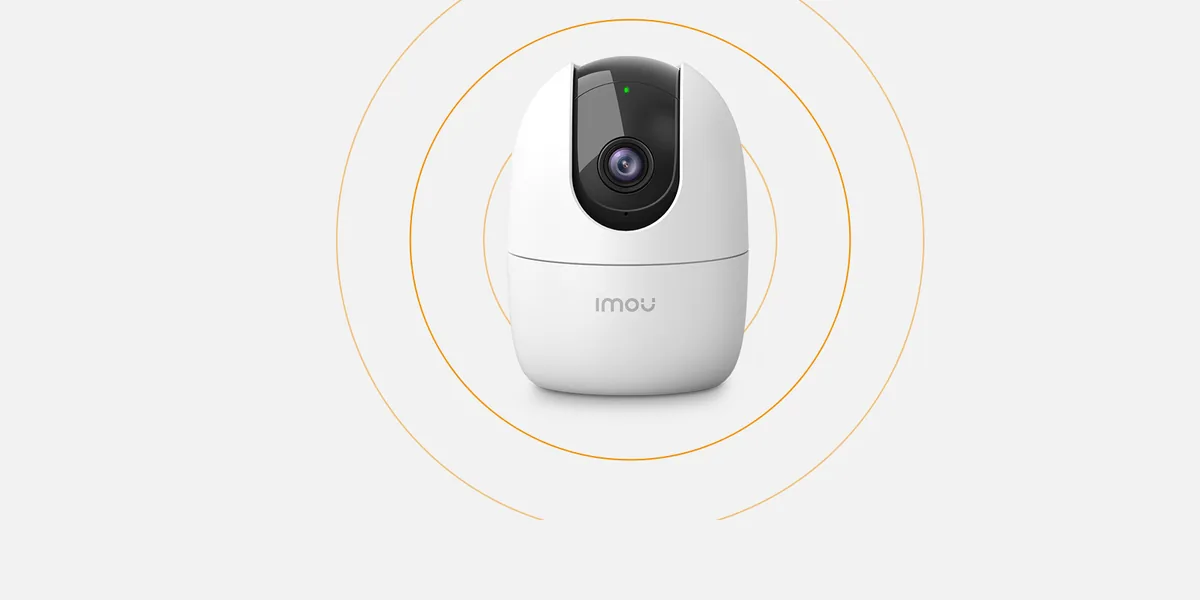
Yes, and a capable one. Imou is the home brand of Dahua, one of the largest camera makers, and its indoor models are built like small security cameras. They have infrared night vision, a microphone, and on the Ranger and Rex a motor that turns the lens. Amazon even lists several of them as "baby monitor and pet camera".
On its own, an Imou works inside the Imou Life app: a live picture, motion and sound alerts, and talk-back through the camera's speaker. Imou's paid plan, Imou Protect, adds cloud storage and smarter detection. For a crib that is a security camera pointed at a baby, with alerts built for a front door.
A baby monitor app reads the same camera on your own Wi-Fi instead. That needs one change. The models below all pass the other two tests out of the box.
| Model | Picture in Mamoon | Hears crying in Mamoon | Night vision (infrared) | Pan & tilt from Mamoon | Effort |
|---|---|---|---|---|---|
| Imou Ranger 2 | yes | after the setting | yes | yes | ≈15 min, needs a computer |
| Imou Ranger 2C | yes | after the setting | yes | yes | ≈15 min, needs a computer |
| Imou Rex 2D | yes | after the setting | yes | yes | ≈15 min, needs a computer |
| Imou Rex 3D | yes | after the setting | yes | yes | ≈15 min, needs a computer |
| Imou Cue 2 | yes | after the setting | yes | fixed camera | ≈15 min, needs a computer |
| Imou Bullet 2C | yes | after the setting | yes | fixed camera | ≈15 min, needs a computer |
"After the setting" means: once the sound is G.711, the camera is heard in full. Before that, Mamoon shows the picture but says it is not monitoring, rather than pretending to listen.
Why one sound setting decides it
A camera needs three things to work with a baby monitor app. It needs a stream on your own Wi-Fi (RTSP), a picture the phone decodes (H.264) and sound the app can analyze (G.711). Imou has the first two out of the box.
The third is AAC. It sounds fine in Imou Life and is useless for real-time cry detection. Imou's app doesn't offer another format. Dahua's ConfigTool, which speaks to the same firmware, does; an owner's report confirms the switch to G.711A fixes it. The camera checker explains the three tests with a picture.
Setting it up, step by step
- Turn on RTSP in Imou Life: Imou Life › camera › ⚙ › Advanced › RTSP (the wording varies by model).
- On a computer, open Dahua's free ConfigTool, find the camera and set Audio Encode to G.711A. The Imou app has no audio format option; this is the one place it lives.
- In Mamoon choose “Wi-Fi camera”. It recognizes Imou as Dahua. User
admin, password: the safety code on the camera's label.
Good to know
- Imou rides on Mamoon's Dahua preset; the password is the safety code printed on the camera.
If you have more Dahua or Hikvision gear, the IP camera guide covers their web pages and stream addresses. The brand-by-brand table shows where Imou stands next to Tapo, Reolink and Nest.
Imou Life or a baby monitor app?
Both can show the crib. They are built for different nights.
- Imou Life is a security app. It shows the picture, sends motion and sound alerts, and lets you talk through the camera's speaker. It needs an Imou account, and viewing from outside the home runs through Imou's servers.
- A baby monitor app reads the camera on your own Wi-Fi. A good one keeps the sound playing with your phone locked, tells a cry from a door or a dog, and warns you when the camera stops sending.
Many parents keep both: Imou Life for a quick look from work, a monitor app on the nightstand.
Is an Imou camera safe for the nursery?
Imou launched in 2018 as Dahua's consumer brand. In the US, Dahua has been on the FCC Covered List since March 2021. Since November 2022 the FCC authorizes no new Dahua equipment. Cameras already sold were not recalled, and owning one is legal.
The practical question is where your video goes. In Imou Life, viewing from outside the home runs through Imou's servers; its privacy policy names data centers in the US, Germany and Singapore. Read over RTSP on your own Wi-Fi, the picture goes from the camera to your phone and nowhere else.
- Change the safety code to your own password once RTSP works.
- Keep the firmware updated in Imou Life; Dahua fixes flaws in its cameras several times a year.
- Never forward the camera's ports on your router to watch from outside.
The longer story, brand by brand, is in Chinese security cameras, and the hacking side in can baby monitors be hacked.
Night vision, placement, pan and tilt
Every Imou in the table switches to infrared in the dark: a sharp black-and-white picture of a dark nursery. The Ranger and Rex models turn and tilt from Mamoon over ONVIF, so you can find the baby in any corner from bed. The fixed Cue needs a spot where it sees the whole crib.
Put the camera above the mattress, not facing a window, since glass throws the infrared back into the lens. Keep the cord out of the baby's reach; the CPSC says at least 3 feet. More in where to put the camera.
Where Mamoon fits
Mamoon reads an Imou camera over RTSP on your home Wi-Fi, with no hub and no camera subscription. It finds the camera on your network by itself and logs in with the safety code. It listens for crying on your phone and tells it from other sounds, and alerts keep coming with the nursery sound muted. Pan/tilt models turn from the app. If the camera goes quiet, the screen turns grey and you get an alert. Mamoon cannot talk back through the camera's speaker. Sound and cry alerts are free; the picture is $29.99 once or $3.99 a month after 14 days free.
Frequently asked questions
Can I use an Imou Ranger 2 as a baby monitor?
Yes. It has infrared night vision, pan and tilt and a microphone. For a baby monitor app, turn on RTSP in Imou Life and set the sound to G.711A once in Dahua's ConfigTool; then it works as a full monitor.
Why does my Imou camera show a picture but no sound?
Its sound is still AAC. The app shows the video but cannot listen for crying, so it says it is not monitoring instead of pretending. Set Audio Encode to G.711A in Dahua's ConfigTool and the sound comes through.
What is the Imou RTSP password?
The user is admin and the password is the safety code printed on the camera's label, unless you changed it. The stream address is the Dahua one, so an app with a Dahua preset needs only those two.
Do I need a computer for this?
Once, yes: the audio format lives only in Dahua's ConfigTool, a free download for Windows and Mac. Everything after that happens on your phone.
Does Imou have its own baby monitor?
No dedicated one with a parent unit. Imou sells indoor cameras, some marketed for babies and pets, that you watch in the Imou Life app on your phone.
Sources
- Imou RTSP address (cam/realmonitor), safety-code password, RTSP enabled in the app
- Imou defaults to AAC audio; switching to G.711A fixed it, only via Dahua's ConfigTool
- Dahua audio setup: Setting → Camera → Audio → Encode; G.711A/U, AAC
- CPSC OnSafety: baby monitor cords out of reach
- Imou Protect: cloud storage and enhanced AI detection
- Dahua, October 2018: Imou launched as its consumer brand
- FCC Covered List, March 12, 2021
- Imou privacy policy (May 13, 2025): data centers
Spotted a mistake or an outdated figure? Write to hello@mamoon.app.
