
- Any iPhone baby monitor app works on Apple TV through AirPlay mirroring. Only a few apps have their own Apple TV app.
- Own Apple TV app: Baby Monitor 3G, Annie and Cloud Baby Monitor. Nanit, Owlet, eufy and CuboAi had none in October 2026, per the App Store.
- A HomeKit camera shows on the Apple TV in picture in picture, but HomeKit does not alert on crying.
- Mamoon's Apple TV app is built and in testing: full screen, or a small window over your show with a cry banner.
- At night, keep a phone as the monitor. The TV is for the evening on the couch; it won't wake you in the bedroom.
Which baby monitors work with Apple TV?
Fewer than you'd think. The camera monitors parents buy most, such as Nanit, Owlet, eufy and CuboAi, show their picture only in their own phone app. None of them had an Apple TV app in the App Store when we last looked (the date is under the table). You can still mirror their phone app to the TV. That only works once the camera itself is online; for a Nanit that keeps dropping, see Nanit not connecting to Wi-Fi.
So the real question is which way fits your evening. There are four. AirPlay works with every app tonight but ties up your phone. A monitor app with its own Apple TV app frees the phone; the Baby Monitor 3G comparison covers the best known one. A HomeKit camera lives in the Apple TV's Home view. And Mamoon's own Apple TV app is on its way. The table sorts them.
| Way | What you need | Your phone stays free | Show in a small window over Netflix | Cry alert on the TV |
|---|---|---|---|---|
| AirPlay mirroring | any monitor app on an iPhone, same Wi-Fi as the TV | no, the TV copies the phone | no | only what the app shows on screen |
| An app with its own Apple TV app | Baby Monitor 3G, Annie or Cloud Baby Monitor on both ends | yes | check the app; it varies | check the app; it varies |
| HomeKit camera | a camera that works with Apple Home, and the TV in your home | yes | yes, from the Home view | no, HomeKit alerts on people and motion, not crying |
| Nanit, Owlet, eufy, CuboAi | their phone app, mirrored | no | no | no |
| MamoonTV (in testing) | an old phone or a Wi-Fi camera by the crib | yes | yes | yes, a banner and a chime |
From the makers' help pages and the App Store, checked October 13, 2026; the HomeKit row October 28, 2026. Makers add apps, so check the store on your Apple TV too.
How to put any baby monitor app on Apple TV with AirPlay
This works tonight with any app on an iPhone, Mamoon included. It's the steps from Apple's mirroring page, in the order that matters at bedtime.
- Put the iPhone and the Apple TV on the same Wi-Fi. Apple requires it for mirroring.
- Open the monitor app on the live picture and turn the phone sideways, so the picture fills the TV.
- Open Control Center and tap Screen Mirroring, then pick the Apple TV. If the TV shows a code, type it on the phone.
- Plug the phone in and leave it alone. A message you open, a call or the screen locking takes the nursery off the TV.
- To stop, open Control Center again, tap Screen Mirroring, then Stop Mirroring.
An Android phone can do the same on a Chromecast or Google TV: in the Google Home app, pick the device and tap Cast my screen, as Google's help shows. On an Apple TV, Android has no mirroring of its own.
Is a HomeKit camera a good baby monitor on Apple TV?
For watching, yes. A camera added to Apple Home shows in the Apple TV's Home view. Apple's Apple TV guide says you can keep its live video in picture in picture while you watch something else. You can also ask Siri on the remote to show the camera by name.
For listening, less so. HomeKit's alerts are about people, animals and motion; it does not know what crying is. So a HomeKit camera gives you a picture in the corner, and you still need a phone that listens. If you already own one, it's a fine evening screen. If you're buying a camera just for this, a Tapo or similar camera with a monitor app on your phone does more; see a Tapo camera as a baby monitor.
Mamoon on Apple TV: what it does, and the honest part
It's made for the two things parents do in the evening.
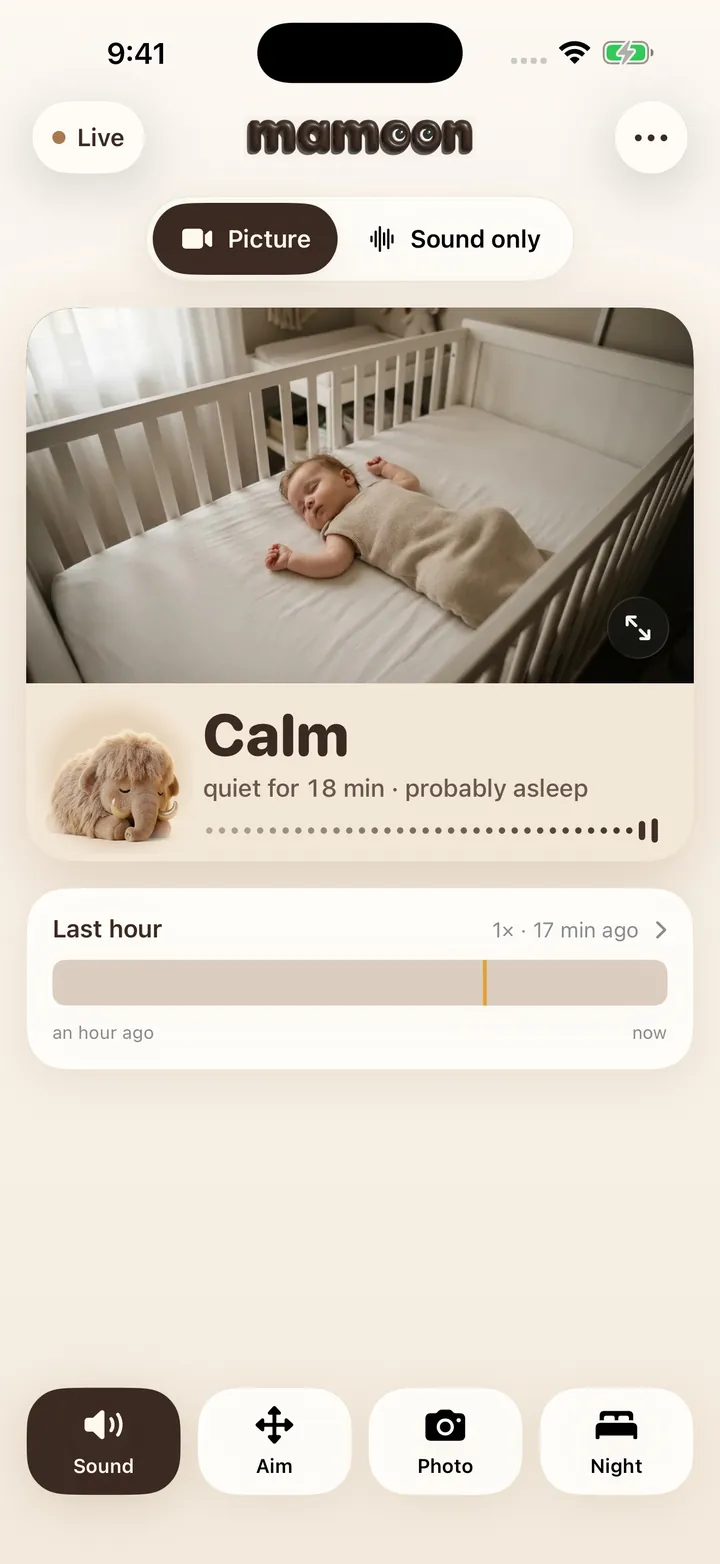
- The nursery, full screen. The picture with the room's state in the corner: Calm, Stirring or Crying. A big banner crosses the screen on a cry, a loud noise, or Offline if the picture stops. Play/Pause on the remote mutes the room.
- Your show, with the baby in a small window. Start picture in picture, then switch to Netflix or anything else. When the baby cries, the banner appears inside that small window and a chime plays.
- Set up like a second parent phone. The Apple TV finds the phone by the crib on your Wi-Fi and asks for its six-digit code. Or it reads a Wi-Fi camera, such as a Tapo, directly.
The honest line on picture in picture: Apple TV shows no notifications for apps, so Mamoon draws the alert into the small window itself. That only works if you start picture in picture before you leave the app. If you just press Home and open Netflix, tvOS may stop MamoonTV, and nothing on the TV will warn you. Your phone keeps its own alerts either way, which is why the phone stays the real monitor; two phones as a baby monitor shows that setup.
Should the TV be the baby monitor at night?
No. For the evening it's lovely: everyone on the couch can see the baby, and nobody holds a phone. But the TV is in the living room, it goes to sleep, and it won't wake you in the bedroom. Keep a phone as the real monitor, with alerts that get through a locked screen; how to make sure the alerts wake you. Treat the TV as the big second screen. More setups are in the baby monitor guides.
Where Mamoon fits
Mamoon turns an old phone or a Wi-Fi camera by the crib into the camera, and your own phone into the monitor. It tells crying from other sounds on the phone itself, with no cloud and no account. Today you can mirror it to the TV with AirPlay; the Apple TV app joins later as one more parent screen. It has no Android TV app, and the iPhone app is still coming to the App Store. Sound and cry alerts are free; the picture is $29.99 once or $3.99 a month after 14 days free.
Frequently asked questions
Does Nanit work with Apple TV?
Not with an app of its own: no Nanit app showed up in the Apple TV App Store in October 2026. You can mirror the Nanit app from an iPhone to the Apple TV with AirPlay, with the phone left open on the live picture.
Does the eufy baby monitor work with Apple TV?
Not directly. eufy had no Apple TV app when checked. Mirroring the eufy app from an iPhone with AirPlay works, but the TV then copies the phone, so the phone has to stay on the live picture.
Can I watch a baby monitor in picture in picture on Apple TV?
Yes, with a HomeKit camera from the Home view, or with an app that supports it. AirPlay mirroring cannot do it, because the mirrored phone fills the whole TV screen.
Can I cast a baby monitor app to the TV from Android?
Yes, to a Chromecast or Google TV: open the Google Home app, choose the device and tap Cast my screen. Keep the phone on the live picture and on its charger, since the TV copies the phone.
When will Mamoon's Apple TV app be out?
There's no date yet. It is built and in testing, with the full-screen nursery and the small window over your show. Until it ships, mirror Mamoon from your iPhone with AirPlay.
Sources
- Apple Support: mirror your iPhone to an Apple TV or smart TV with AirPlay, opened October 28, 2026
- Apple TV User Guide: monitor cameras and run scenes in the HomeKit tab (picture in picture, Siri "show me"), opened October 28, 2026
- Google: cast your Android screen, opened October 13, 2026
- App Store: Baby Monitor 3G, Annie Baby Monitor and Cloud Baby Monitor, opened October 13, 2026
Spotted a mistake or an outdated figure? Write to hello@mamoon.app.
How these pages are made: an AI model drafts them from our own tests, real app screens and the sources listed, and Jan Drábek checks every page before it goes live.
